Disclosure: I work for Apollo Automation. The M-1 in this post is one of our devices.
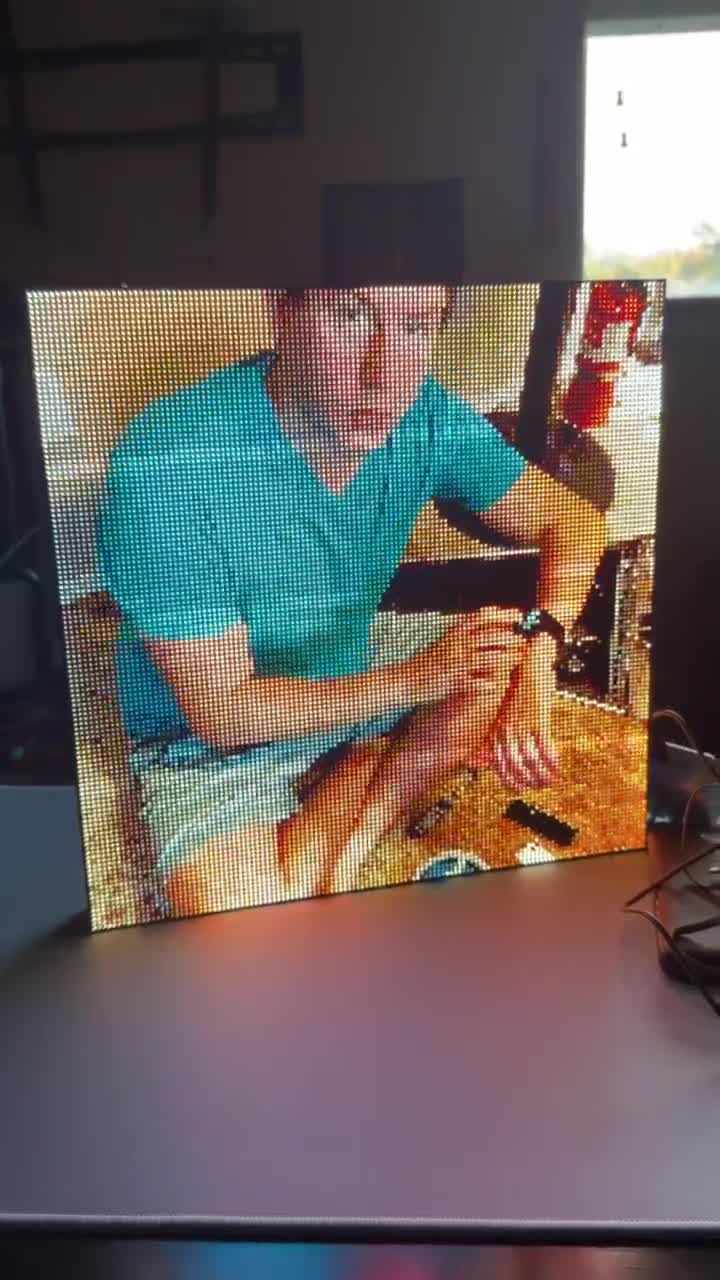
I connected four 64x64 LED panels to my M-1 to make one big display. It runs WLED, and it had been driving a single 64x64 panel. Four panels in a 2x2 grid is 128x128, or 16384 pixels. To keep the ribbon cables between the rows short, the bottom two panels are mounted rotated 180 degrees.
Getting WLED to drive it as one square took a little figuring out, mostly because the docs hadn’t caught up with the feature yet. Here’s what works.
The settings
The panel layout lives on the LED output. Set the output to HUB75, panel size 64x64, No. of Panels 4, and rows x cols 2 x 2. Total LEDs jumps to 16384.
Then, separately, open 2D Configuration and make one flat 128x128 matrix. This part doesn’t update itself when you change the output, you set it by hand. Reboot, since HUB75 changes blank the display until you do.
That’s the whole configuration. Three fields and a reboot.
Why nothing accounts for the flipped row
The part that took me a minute: nothing in the settings mentions the bottom row being rotated 180 degrees. I went looking for the setting, and there isn’t one, which turns out to be correct.
Four panels are one electrical chain. To fold that chain into a square, the data runs across the top row one way and back across the bottom row the other way, and rotating the bottom panels 180 degrees is what points them the right way for that return trip. The rows x cols setting already assumes you built it like that. Set 2 x 2, leave the rest alone, and the image comes out upright. If you mounted the bottom row the normal way instead, that’s when you’d have to correct it in software.
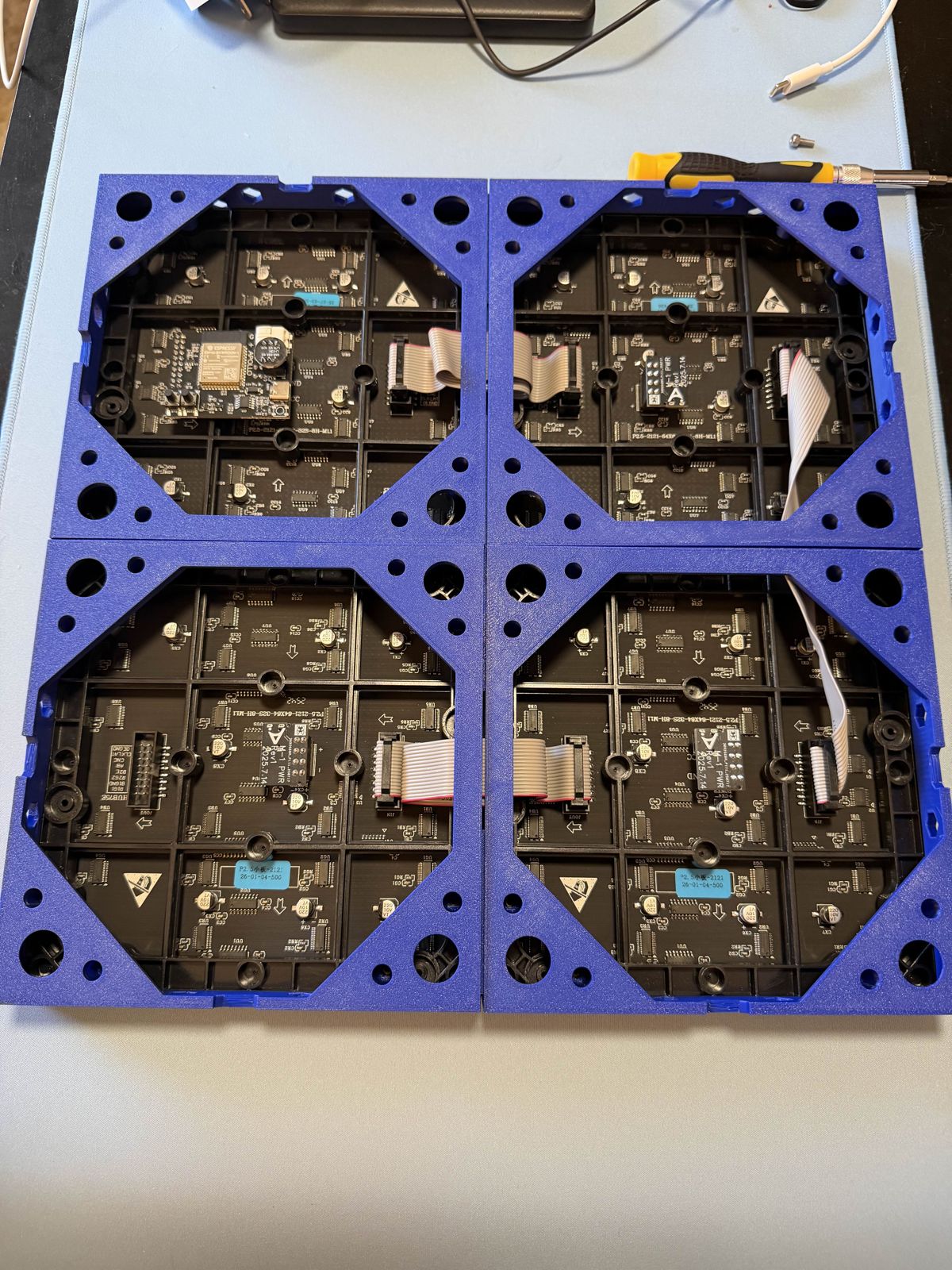
The back of the build. The ribbon cables chain the panels together, and the bottom two are mounted upside down so those cables reach.
Checking it landed
Config looking right isn’t the same as pixels landing right, so I pushed a few test patterns to the panel over WLED’s JSON API while I watched the display. Four solid quadrants first, red, green, blue, yellow, to confirm each panel sat in the right place. Then a white square in each panel’s top-left corner, which would show up in the wrong corner if a panel were secretly rotated. All four landed top-left. Then scrolling text to confirm it stayed upright across the seams.
One thing to know: after resizing the matrix, the existing WLED segment kept its old 64x64 bounds and lit only a quarter of the display. Resize the segment to the new dimensions, or delete it and let WLED rebuild a full-size one.
With that sorted, it runs images and video across the full 128x128.
The goose is Lefty. He’s missing his left foot.
Updating the docs
The setup took some trial and error because the HUB75 documentation predated the grid feature, so it still described a single horizontal chain as the only option. Since I’d just worked out the current behavior, I wrote it up: the grid settings, the reason the bottom row gets flipped, the power draw, and a photo of the build. That went in as a pull request, along with a couple of smaller ones adding a contributing guide and a style guide the repo didn’t have yet.
Two of those are merged, and a maintainer was glad to have the docs work and asked if I’d pick up more. The main rewrite is still in review.
If you’re building a HUB75 grid on WLED: the panel count and rows x cols live on the LED output, the 2D config is one flat matrix you set by hand, and the 180 degree flip of the return row is expected, not something you configure.