I have four NVIDIA Shields and they had all gotten slow enough to notice. Opening Plex felt like a decision. So I spent an afternoon stripping them down over ADB, and then spent the next day finding out how much of the improvement was real.
The short version: 148 packages disabled across four boxes, all reversible, and the results were far less uniform than every debloat guide I’ve read would suggest.
If you want to do this to your own Shield, I wrote the whole thing up as a step-by-step guide, including the seventeen separate problems I hit. This post is what I learned; that’s the version you can follow.
The four boxes are not the same box
This is the part I’d underestimated. I have three different hardware generations:
| Room | Codename | Year | RAM | System packages |
|---|---|---|---|---|
| Brandon TV | foster_e | 2015 | 3 GB | 138 |
| Kitchen | darcy | 2017 | 3 GB | 139 |
| Upstairs | sif | 2019 tube | 2 GB | 124 |
| Master | sif | 2019 tube | 2 GB | 124 |
I built a package list on the 2015 box, then tried to reuse it. Only 25 of 42 existed on the 2019 tube. The 2017 box took 39 of 42. Between the two 2019 tubes, on the same build, 27 of 28 carried over.
The 2019 tube ships far cleaner: no Plex Media Server, no Netflix, no Amazon Video or Music, no Vudu, no IMDb TV, no Play Music, no Play Games. The 2015 and 2017 boxes had all of it.
So a debloat list you found for someone else’s Shield will not match yours, and the packages that keep your remote and audio working have different names across brands entirely. Measure your own.
The one command worth running first
adb shell dumpsys meminfo | sed -n '/Total PSS by process/,/^$/p' | head -20On every single Shield, the top line was the same:
415,401K: com.google.android.tvlauncher   (2015, 3GB, 14% of RAM)
282,274K: com.google.android.tvlauncher   (2019, 2GB, 14%)
279,161K: com.google.android.tvlauncher   (2017, 3GB)
293,278K: com.google.android.tvlauncher   (2019, 2GB, 15%)
The Google TV home screen and its recommendation rows were the largest process on all four machines. That reframed the job: it wasn’t about disabling forty small things, it was about the launcher.
I nearly started from a list I’d found for a TCL TV instead. Every package in its “never disable” section was a com.tcl.* name that doesn’t exist on a Shield.
Killing the recommendation engine didn’t kill the ads
The home screen booted to rows of films I could buy. Top sellers, new releases, whatever Google wanted in front of me that week.
The obvious target is com.google.android.tvrecommendations, so I disabled it early and expected the rows to go. They didn’t. That package is the engine that fills recommendation rows, and killing it leaves the rows there, just emptier.
Two other things were drawing them. com.google.android.videos, the Play Movies app, feeds the “top selling” row specifically, and disabling that took a chunk of it out. The rest is baked into the launcher itself. The Play Store and Movies rows aren’t a feature you can switch off, they’re part of what com.google.android.tvlauncher is.
So the ads don’t go until the launcher does. That turned out to be the same conclusion the memory numbers pointed at, from a completely different direction.
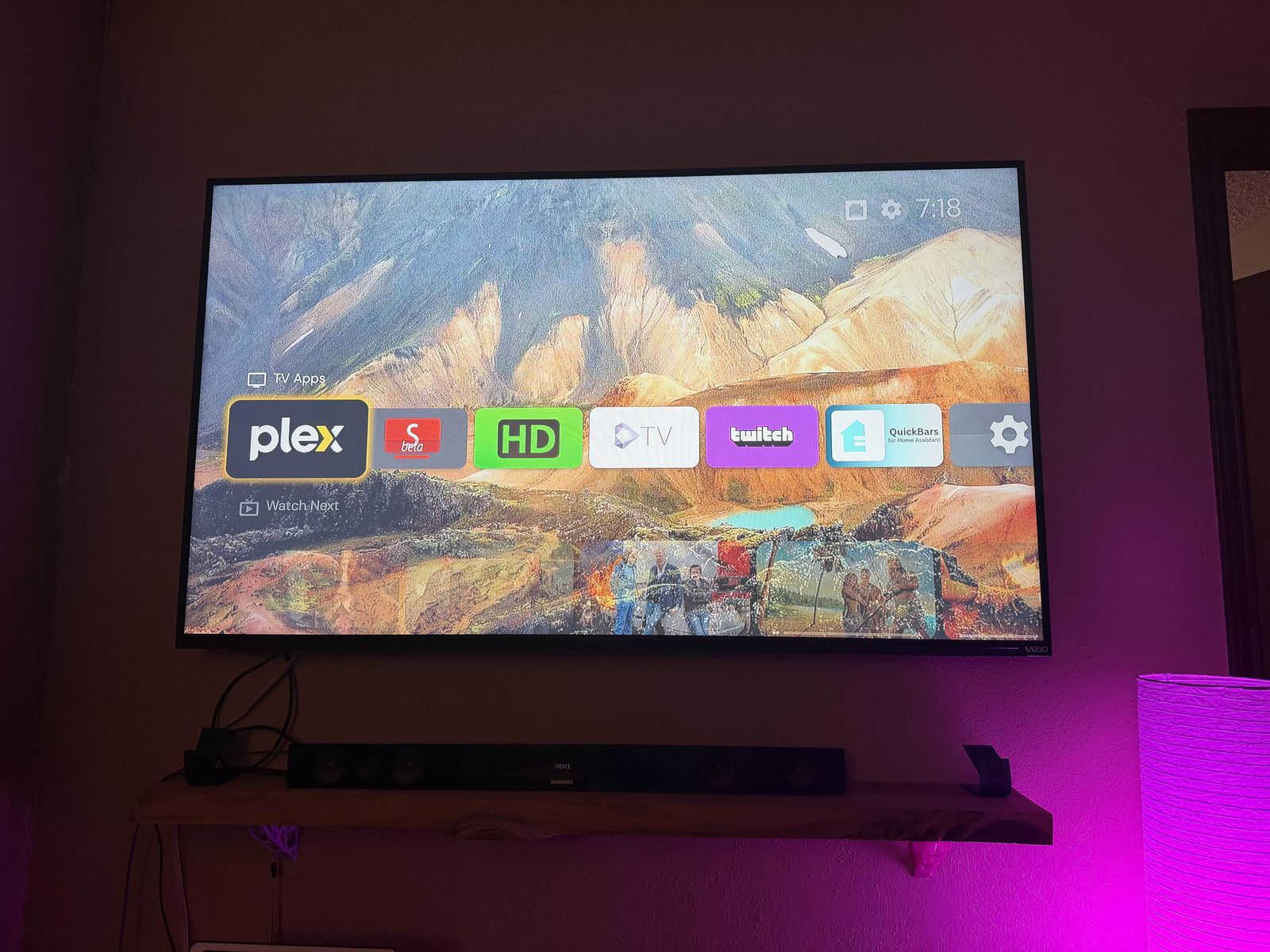
What replaced it is a grid of my apps with my own continue-watching underneath, and nothing trying to sell me a film. It also made the next job obvious: I hadn’t got to the preinstalled apps yet, so the grid was full of Amazon Video, Amazon Music, Vudu, IMDb TV, and Peacock on one box. Those went in the following batch.
What I disabled
Only pm disable-user --user 0, never pm uninstall. Uninstalling on --user 0 is effectively permanent without a factory reset. Disabling frees the same memory and reverses with pm enable.
The ones that actually mattered:
com.nvidia.stats, NVIDIA telemetry, was holding 101 MB on the 2015 box. Biggest single piece of junk anywhere in the house.com.plexapp.mediaserver.smbis Plex Media Server, which NVIDIA bundles into some Shields. It was running on two of mine with 68 MB and ten boot receivers. My actual server is on unRAID, so it was doing nothing. Check before killing this one: if your Shield is your Plex server, you’ll take the household’s Plex down.com.google.android.musicis Google Play Music. Google shut the service down in 2020. It was still resident at 32 MB, running an app that cannot function.com.nvidia.nvgamecastis the GameStream client. NVIDIA killed GameStream in 2023.
I kept com.google.android.katniss, Android TV’s search and Assistant, despite it costing 93 MB across two always-resident processes. Disabling it kills the mic button on the remote and I use that.
Totals: 42 packages on the 2015 box, 43 on the 2017, 28 and 35 on the two 2019s.
Replacing the launcher has an order
Android TV has no default launcher setting. There’s no menu where you pick your home app. The swap happens by disabling the current launcher and letting the system fall back to whatever else can handle HOME.
So the number of installed launchers decides what you get. Two of my Shields had leftover launchers from attempts I’d abandoned years ago, which would have made the fallback a coin flip.
The order that works:
- Install Projectivy, don’t set it as home
- Disable every other third-party launcher, leaving exactly one candidate
- Open Projectivy once and finish onboarding
- Now disable
com.google.android.tvlauncher - Verify before rebooting, with
adb shell cmd shortcut get-default-launcherand by injectingKEYCODE_HOMEand checking focus
com.android.tv.settings registers as a HOME fallback, so the device can’t end up with zero home apps. And with network ADB you can re-enable the stock launcher without touching the TV, which makes the whole thing much less frightening than the warnings suggest.
Where the numbers stopped agreeing with me
Here’s the part I’d have got wrong if I’d published two hours earlier.
I measured two minutes after a reboot and got MemAvailable up 75%, 789 MB to 1,383 MB. Excellent number. Meaningless. Android doesn’t leave freed memory free, it spends it on cache and keeping apps warm, and a freshly booted device hasn’t filled it yet. I re-measured twelve minutes later under normal use: 814 MB, up about 3%.
Then I made the same mistake again with the launcher, and a second one on top of it. A few hours after the swap I had Projectivy at 239 to 267 MB, barely better than the stock launcher, and I nearly published that. Two things were wrong: Projectivy still had wallpaper and content loading, and my command was grepping the whole dumpsys output rather than the process table, so it picked up a line from a different section entirely.
Measured properly the next day, at 15 hours of uptime:
| Stock launcher | Projectivy | Change | |
|---|---|---|---|
| Brandon TV (2015) | 415 MB | 83 MB | −80% |
| Upstairs (2019) | 293 MB | not resident | −100% |
| Kitchen (2017) | 279 MB | 105 MB | −62% |
| Master (2019) | 282 MB | 111 MB | −61% |
On the upstairs box Android evicts Projectivy entirely when it isn’t on screen. The stock launcher never got evicted on any of them, because it sits at oom_adj 0 with foreground priority whether you’re looking at it or not.
MemAvailable came up on all four, between 11% and 44%.
Swap is the least tidy number. The 2017 box went from 505 MB in use, 96% of its swap file, down to 197 MB. The master dropped 29%. Upstairs is flat. The 2015 box went the wrong way, 187 MB up to 439 MB, and that one has an explanation: when I measured it, SmartTube was in the foreground holding 218 MB with Plex loaded behind it. The machine was being watched, not leaking.
The comparison still isn’t perfect. My baselines came from boxes that had been up 51 days, 155 hours and 114 hours; the new figures are from 15 hours. But 15 hours of ordinary use is long enough for the caches to fill, which is the thing that made the two-minute readings worthless.
The thing that actually worked was somewhere else
I also wanted to fix my Sparkle TV guide, which showed nothing. I assumed it was related and deliberately left every TV Input Framework and EPG package alone during the debloat so I wouldn’t break the thing I was trying to fix.
It was a completely separate problem. My HDHomeRun CONNECT was on firmware 20161117. November 2016. It had never updated because 2016 firmware can’t negotiate TLS with Silicondust’s current API, and the tell was discover.json having no DeviceAuth field at all, meaning the tuner had never successfully registered with the guide service.
The reason it had never fixed itself is a naming problem. The HDHomeRun app you install to watch TV has no firmware function at all. Updating needs a separate download called “HDHomeRun Other Software for Windows”, whose Setup utility pushes firmware from the PC over your LAN. That path doesn’t care that the tuner can’t reach the internet, because the PC does the downloading. Silicondust’s own docs also note that firmware older than 20170815 can’t use the in-browser update, which mine was well past.
After:
FirmwareVersion   20161117  ->  20260313
DeviceAuth        absent    ->  present
Guide data        none      ->  84 channels, full EPG
Titles, episode numbers, synopses, artwork, original air dates. Nine and a half years of updates in one click.
It was broken and now it works, with nothing to caveat about uptime or wait out while caches fill.
Google’s Live Channels stayed useless regardless. It plays no audio on any of my channels because it never shipped an AC-3 software decoder and every one of my over-the-air channels is AC-3. Google stopped maintaining it years ago. I use the HDHomeRun app now, which decodes AC-3 itself.
Things I got wrong
Worth listing, because most of them cost real time.
I disabled com.google.android.tv reasoning that its TunerTvInputService was for USB tuners and I don’t have one. It handles network tuners too, HDHomeRun included, and I had to put it back. Reading a class name and inferring behavior burned me twice in one afternoon.
I spent twenty minutes convinced my AdGuard instance was blackholing Silicondust’s domains, because nslookup showed them resolving to 192.168.1.22. That’s my DNS server’s own address, printed above the answer. AdGuard was fine the whole time.
I kept querying the TV channel database with content query --uri content://android.media.tv/channel, getting “No result found”, and reading that as proof it was empty. adb shell doesn’t hold READ_TV_LISTINGS, so it returns the same thing whether the table is empty or merely invisible. I only noticed when it came back empty while the TV was showing 90 channels on screen.
And the memory readings, three times. Twice from measuring a freshly booted device, once from a grep that matched a line outside the table I thought I was reading. All three pointed the same way: I was ready to believe a number because it arrived quickly.
Two things I found that weren’t the point
My Shields had drifted apart. Three were on SmartTube 32.38, one on 31.45, and the kitchen was running a completely different package (com.teamsmart.videomanager.tv 30.48). SmartTube updates outside the Play Store, so they’d quietly diverged over months. Copying the APK between boxes works, but only between matching architectures: the 2015 Shield is arm64-v8a while both 2019 tubes are armeabi-v7a, which I discovered via INSTALL_FAILED_NO_MATCHING_ABIS.
Two of the four are on WiFi, and I misread what that meant. I pinged them, got 149ms average on the kitchen and 117ms on the master against 0ms on the wired pair, and wrote both off as bad links.
They were asleep. Waking the screen takes the master from 175ms average to 14ms, and the kitchen from 203ms to 40ms. That is WiFi power save on an idle device, and it has no effect on playback, because the screen is on when you are watching something. Zero packet loss the whole time should have told me: a weak signal drops packets, it doesn’t deliver all of them slowly.
There is a real difference underneath it. The kitchen sits on 2.4 GHz channel 1 running 802.11n at 104 Mbps; the master is on 5 GHz running 802.11ac at 400 Mbps with a −51 RSSI. Awake, that’s 40ms against 14ms. It also explains why the kitchen Shield keeps associating with an access point in a different room: 2.4 GHz carries much further, so the distant AP genuinely is the loudest 2.4 GHz signal in that room. The Shield is choosing correctly on the information it has.
Was it worth it
Every change is logged per device with its own undo command, keyed to that Shield’s IP so they can’t get crossed:
for p in $(grep -vE '^#|^$' disabled.txt); do adb -s 192.168.1.12:5555 shell pm enable $p; doneWould I do it again? Yes, on all four, though I’d have saved myself most of an afternoon by not trusting a number until the box had been running for a day.
The launcher swap is the piece I’d recommend to anyone with an old Shield, and it’s the piece I was ready to write off. Replacing a home screen that held 14% of the machine’s memory with one Android is willing to evict is worth more than the other 147 packages put together.
I’d disable the rest again too: NVIDIA’s telemetry, a Plex Media Server duplicating the one on my unRAID box, and a Google Play Music that has had no service to talk to since 2020.
And updating that tuner, which I’d have never looked at if I hadn’t gone looking for something else.
The full walkthrough, with every warning and the exact commands, is here.